
Shopify order rules for distributors: MOQ, case packs, and customer tags
Distributors need different rules than retail stores — minimum order quantities, case-pack multiples, and customer-tag-based logic. Here's how to set it up on Shopify without custom development.
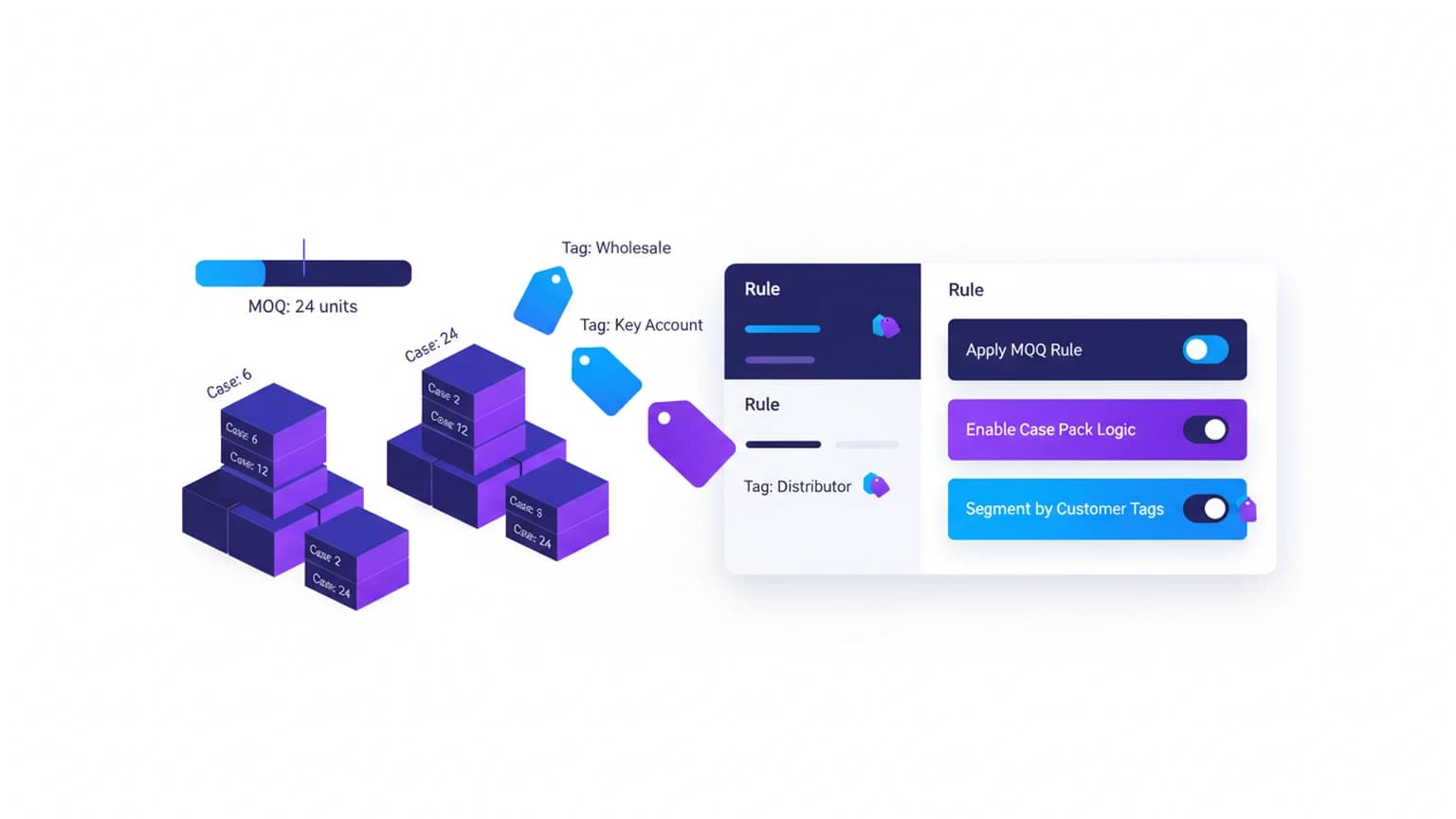
Running a wholesale or distributor store on Shopify means dealing with a different set of constraints than a direct-to-consumer shop. Your buyers order in cases, not singles. They need minimum order quantities that make shipping worthwhile. And you probably have different rules for different customer tiers — distributors get one set of minimums, retailers get another.
Shopify's native setup doesn't handle this out of the box. The platform assumes every customer sees the same product page with the same quantity rules. For distributors, that's a problem.
What distributors actually need
Most distributor operations run on three rule types that don't exist in standard Shopify:
Minimum order quantity (MOQ) per product or variant
A distributor buying glass bottles might require 24 units minimum because that's a case. A food distributor might set MOQ at 12 jars. The key is that the minimum lives at the product level, not the cart level — a buyer can't add 3 bottles and 21 jars to hit a cart minimum.
Case-pack multiples (quantity increments)
If you sell in 6-packs, 12-packs, or 24-packs, the quantity selector should only allow multiples of that pack size. A buyer selects 12, 24, 36 — not 13, not 25.
Customer-tag-based rule sets
Your Tier 1 distributors might have a $500 minimum order and 12-unit case packs. Tier 2 retailers might have a $150 minimum and 6-unit packs. Direct consumers might have no minimums at all. The rules need to switch based on who's logged in.
Why native Shopify falls short
Shopify has no native setting for minimum or maximum quantity per product on any plan. Shopify Plus stores can enforce a minimum order value at checkout through a validation function, but it's cart-wide, not product-specific. So:
- No native MOQ per product/variant
- No quantity increments (case packs)
- No rule switching by customer tag
- Checkout-level minimums only work on Plus, and they're cart-wide, not product-specific
For a distributor catalog with hundreds of SKUs across multiple tiers, these gaps add up to manual order review, back-and-forth emails, and rejected orders that could have been prevented at the cart.
How to implement distributor rules without custom code
The practical approach is a rules engine that sits in the cart and checkout, evaluating each line item against the rules for that customer's tag.
1. Define your rule sets by customer tag
Start by mapping your customer segments to rule profiles:
| Customer tag | MOQ type | Case pack | Min order value |
|---|---|---|---|
distributor-tier-1 | Per variant (e.g., 24) | 12 | $500 |
distributor-tier-2 | Per variant (e.g., 12) | 6 | $250 |
retail-wholesale | Per variant (e.g., 6) | 6 | $150 |
vip-buyer | None | 1 | $0 |
Store these in a JSON file, a metafield on the customer, or a small app config. The important part: the rules travel with the customer tag, not the product.
2. Apply MOQ at the line-item level
When a tagged customer adds a product to cart, check the variant's MOQ for their tier. If they enter 6 but the MOQ is 12, show an inline message: "Minimum order for this item is 12 units (case pack of 12)."
This happens in the cart drawer or cart page — before checkout. It saves the round trip of "place order → get email saying order rejected → adjust → reorder."
3. Enforce quantity increments
The quantity selector should step by the case-pack size. If the case pack is 12, the selector goes 12, 24, 36, 48. You can implement this with a simple JavaScript override on the product form, or let the cart validation handle it and show an error if someone manually types 13.
4. Validate at checkout (the safety net)
Cart validation catches most issues. But a determined buyer can bypass the cart. On Shopify Plus, a checkout validation function can re-check line items at checkout and block the order if the rules aren't met.
For non-Plus stores, the cart validation is your primary gate. Most buyers won't try to bypass it.
Common edge cases
Mixed cart: distributor products + retail products
If a logged-in distributor adds both wholesale and retail SKUs, apply the distributor rules to wholesale SKUs and retail rules to retail SKUs. Tag your products with wholesale or retail so the logic knows which rule set to use.
Customer without a tag
Default to your most restrictive rules, or to no rules. Decide based on whether you want to force account creation before wholesale ordering.
Price breaks by quantity
If you offer tiered pricing (12+ units = $5/unit, 24+ = $4.50), that's a separate pricing layer. The quantity rules just ensure they order in valid increments; the pricing engine handles the discount.
What to avoid
- Hardcoding MOQs in product descriptions — buyers miss them, support gets tickets.
- Using "maximum quantity" as a proxy for case packs — max 24 doesn't enforce multiples of 12.
- Relying solely on checkout validation — by then the buyer has invested time and may abandon rather than fix.
- Building a custom app for this — a focused order limit app handles MOQ, case packs, and tag-based rules without the maintenance burden.
FAQ
Can I set different MOQs for the same product across different customer groups?
Yes. The MOQ lives in the rule set for each customer tag, not on the product itself. Product A might have MOQ 24 for distributor-tier-1 and MOQ 12 for retail-wholesale.
Does this work with Shopify Markets / B2B features?
Shopify's native B2B features (company accounts, catalogs, payment terms) are Plus-only. B2B catalogs do support per-variant quantity rules — minimum, maximum, and increment — plus volume pricing, so if your buyers are set up as B2B companies on Plus, that may cover MOQ and case packs. If you're not on Plus, or you segment buyers by customer tag rather than by company account, you still need a cart/checkout validation layer.
What if a customer has multiple tags?
Define a priority order for tags (e.g., distributor-tier-1 > retail-wholesale > vip-buyer) and apply the highest-priority matching rule set.
Can I show the MOQ on the product page before they add to cart?
Yes — read the customer's tag via Liquid or the Storefront API, look up the MOQ for that tag/product combo, and display it near the quantity selector. "Wholesale minimum: 12 units (case of 12)."
Is this only for Plus stores?
Cart-level validation through an app works on any plan. Building your own checkout validation Function requires Plus. Most stores find cart validation sufficient — buyers who hit an error in the cart fix it before reaching checkout.
Need to set up MOQ, case packs, and tag-based rules on your Shopify store? Nexo Order Limits handles all three without custom development.