
How to set minimum order quantity on Shopify
A practical way to plan and enforce MOQ rules on Shopify without turning the buying flow into a guessing game.
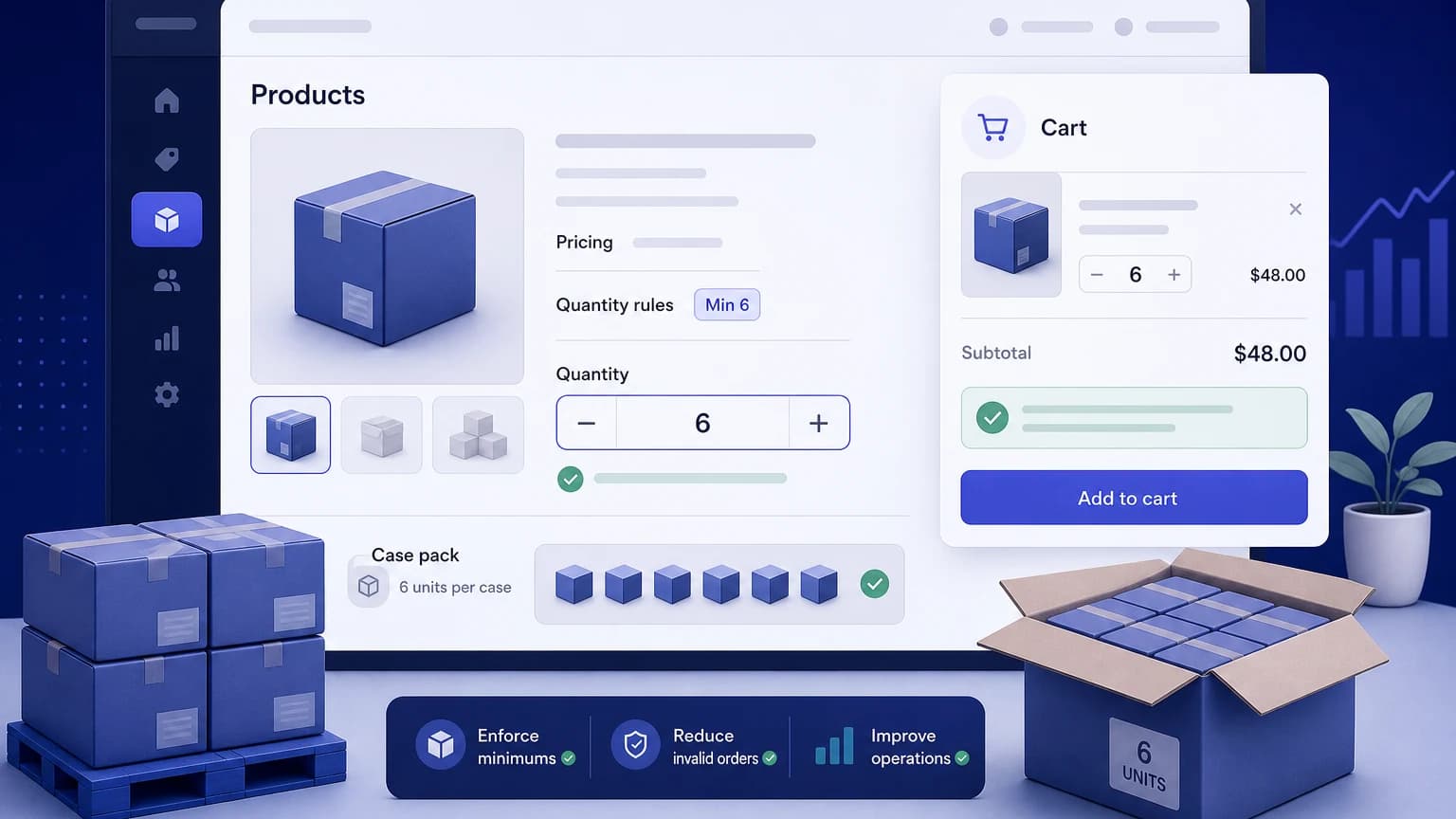
Minimum order quantity sounds simple: a customer must buy at least a certain number of units before they can check out. In practice, the hard part is deciding where the rule belongs and how early the buyer should see it.
If the message only appears after someone clicks checkout, it feels like a trap. If every product page is packed with warnings, the store starts to look hostile. A good MOQ setup sits somewhere in the middle: visible enough to prevent bad carts, quiet enough that normal buyers can still shop.
This article walks through the setup decisions a Shopify merchant should make before turning on MOQ rules. If you need the business background first, read What is MOQ? before using this setup checklist.
Start with the product, not the app setting
Before opening any rule builder, list the products that actually need a minimum.
Some products need MOQ because of packing. A candle set may ship safely only in boxes of 4. A wholesale snack SKU may leave the warehouse by carton, not by single unit. Sample items may need a minimum value rule instead of a quantity rule, because the product is cheap but the pick-and-pack work is not.
Write the rule in plain language first:
- "This item must be bought in packs of 6."
- "Wholesale buyers must order at least 24 units from this collection."
- "The cart must include at least $150 before checkout."
That plain sentence will save you from building a rule that technically works but makes no sense to the person buying.
Choose the MOQ type you need
Most stores need one of four rule types.
| Rule type | Good fit | Example |
|---|---|---|
| Product MOQ | One SKU has its own minimum | Buy at least 6 jars of honey |
| Collection MOQ | A group of products shares a rule | Buy at least 12 units from wholesale snacks |
| Cart quantity MOQ | The whole order needs enough units | Cart must contain 10 items total |
| Minimum order value | Profit depends on order value, not units | Cart subtotal must be at least $100 |
Do not force every case into product MOQ. If your issue is unprofitable small orders, a minimum cart value may be cleaner. If your issue is broken cartons, quantity multiples may matter more than a simple minimum.
Check what your Shopify setup already covers
Shopify's default setup may not cover every specific MOQ rule a merchant wants, especially rules tied to products, collections, customer tags, or cart validation. Some themes can show messages on product pages, and custom code can help in simple cases, but display text alone does not always stop checkout.
Be careful with any setup that only changes the quantity selector. Buyers can sometimes update quantities from the cart, a cart drawer, quick buy, subscriptions, bundles, or other app surfaces. If the rule matters financially, validate the cart before checkout rather than trusting one page element.
Make the rule visible before checkout
The buyer should know the minimum before they hit a wall.
Good places to show MOQ:
- Near the quantity selector on the product page
- In the cart line item when the quantity is too low
- In the cart summary before checkout
- In a small help text block for wholesale collections
Keep the copy short. "Minimum 6 per order" is better than a paragraph about operational policy. If the buyer needs to add 3 more units, say that directly.
Decide whether the rule applies to everyone
Retail and wholesale buyers often need different rules.
A retail customer may be allowed to buy 1 item. A wholesale customer may need to buy 24. A distributor may need to buy full case packs. A tagged VIP account may need a softer minimum because the sales team already handles exceptions.
If your store uses customer tags, plan the rule like this:
| Customer group | Rule |
|---|---|
| Retail | No product MOQ, or a low minimum |
| Wholesale | Higher MOQ by product or collection |
| Distributor | Case pack multiples and higher cart minimums |
| Staff/manual orders | Exempt if your workflow needs it |
This is where an order limit app can be easier than theme edits. Nexo Order Limits is built for rules such as product minimums, maximum quantities, customer tag conditions, and cart validation, so merchants do not have to scatter the logic across theme files.
Set the MOQ rule in Nexo Order Limits
Once the rule is clear, the setup in Nexo should be direct.
- Open Nexo Order Limits from the Shopify admin.
- Create a new rule and choose the scope: product, collection, cart quantity, or cart value.
- Enter the minimum quantity or minimum order value.
- Add customer conditions if the rule should apply only to wholesale, distributor, or tagged accounts.
- Write the message buyers will see when their cart is below the minimum.
- Save the rule in draft or disabled mode if you still need to test.
- Build an invalid cart and confirm the buyer cannot continue until the quantity is fixed.
Do not skip the message field. The app can block the cart, but the copy is what tells the buyer how to recover.
Test the awkward carts
Do not only test the happy path. Build the carts that customers will actually create when they are in a hurry.
Try these before publishing the rule:
- Add one unit below the minimum and go to cart.
- Update the quantity from the cart drawer.
- Mix products from the same collection rule.
- Log in as a tagged wholesale customer.
- Test a retail customer with no tag.
- Try the rule on mobile.
- Try a discount code if discounts change how you think about minimum order value.
If the buyer can still check out with an invalid cart, the rule is not finished.
Write error messages like a store operator
Bad message:
Your cart does not meet the configured minimum order constraint.
Better message:
Add 3 more units of this product to check out. Minimum: 6.
The second version tells the buyer what happened and how to fix it. That matters more than sounding official.
For B2B stores, you can be a little more direct:
Wholesale orders for this collection ship in cartons of 12. Add 5 more units to continue.
Now the rule feels tied to how the order ships, not like a random restriction.
A simple rollout plan
Start with one rule group. For example, set MOQ only on your wholesale collection, then watch support messages and abandoned carts for a few days before adding more rules.
A clean rollout usually looks like this:
- Pick the products or collections that need MOQ.
- Decide whether the rule is by product, collection, cart quantity, or cart value.
- Write the customer-facing message.
- Add validation before checkout.
- Test retail, wholesale, and mobile carts.
- Publish the rule.
- Review customer complaints and adjust the wording if people misunderstand it.
That last step is easy to skip. Do not skip it. MOQ rules are operational rules, but buyers experience them as part of the storefront.
FAQ
Can I set minimum order quantity in Shopify without an app?
Sometimes, for simple display or theme-level behavior. But Shopify's default setup may not enforce every product, collection, customer tag, or checkout validation rule you need. If the minimum must block checkout reliably, test the full cart and checkout path.
Should I use MOQ or minimum order value?
Use MOQ when the unit count matters, such as cartons, packs, or wholesale quantities. Use minimum order value when the problem is order profitability. Many stores use both, but not on the same product unless the reason is clear.
Where should I show the MOQ message?
Show it near the quantity selector and again in the cart if the buyer is below the minimum. The best message tells the buyer how many more units they need to add.
Can wholesale customers have different MOQ rules?
Yes, if your setup supports customer-based rules. Many merchants apply stricter minimums to customers tagged as wholesale or distributor while keeping retail rules lighter.
Do MOQ rules hurt conversion?
They can if the rules surprise buyers or feel arbitrary. They can also prevent orders that lose money. The safest approach is to explain the rule early, keep the message short, and start with the products where the operational reason is obvious.